Thoughts on Engineering, Photography, and Design.

Hey, I'm Ryan Heath. I design & develop things and play with cameras for fun. This is where I share my thoughts on all of that along the way.

Layers: an AI SKILLs Pack

Whether you’re directing your AI or working alongside it, Layers walks you both through all seven layers of product design — so the decisions underneath the screen actually get made.

We’re definitely in it, an AI-assisted world where skills packs like this are being created to help build products. This does look cool, though, and the site design is noice. I’m a sucker for scribbled/hand-drawn-esque artwork.

Another hours long conversation between Lex and DHH

I don’t know how I end up watching (or, listening) to these billion hour interviews, but they’re nice background noise while working. It’s quite the contrast between the first interview and this one, with “agentic engineering” being the primary topic. It’s ineresting to hear DHH come around on AI and actually praise what it provides. He’s a love or hate kind of personality, but regardless, I do think he’s one of the best programming minds in the world, so it’s pretty interesting to hear what he has to say about all of this.

Thoughts on AI SDLC

I’m blown away we’ve been able to make computers do this. I know it’s “just” algorithms predicting the next token… it could be a word, an exclamation point, or a “haha”. It’s not actually alive, Ryan, right? Right?? It sure as hell feels like someone is on the other end. But that’s the magic. The conversational back-and-forth is what sells you on the future. Of course every input will just be natural language, why wouldn’t it be? When you can speak freely to someone something that happens to know everything or is smart enough to figure it out, doors open up.

But it’s not all rainbows and ice cream. We’re still early on this journey and I have mixed feelings, at least when it comes to the software development lifecycle.


Only Programmers are Programmers

The digital age has put programmers in high demand for a couple of decades now. They were the ones who could turn your idea into something real. Entire businesses are built around teams of programmers making software to satisfy a need. I know, because I’m 25 years into this industry. The promise of AI flips all of this on its head: now anyone can be a programmer!

There’s certainly truth to that, but do we really think that AI levels the playing field so much that decades of prior experience no longer matters? I’m not so sure. Even if AI is doing the heavy lifting, wouldn’t my ideas, questions, and guidance be more effective than, say, my mom’s? Surely it would!

It can definitely deliver results in all cases, but it still feels like I’m seeing far better AI output from programmers over designers, product owners, project management, etc. And I have to think that’s because of who’s in the driver’s seat.

Code is Art

When I’m writing code, I’m also focused on the elegance of programming. Coming up with clever ways to build things is addicting. The problems often weren’t the hard part, the challenge was solving them in the cleanest, most simplistic way. Sure, I bet that led to a bit of overengineering in my day, but the point is I cared deeply about code quality and the act of producing it. It’s why programmers like to write “idiomatic” code in their language of choice. The non-idiomatic version still works, but there’s way less satisfaction.

Manually working through business logic/requirements, designing a scalable data model, writing shared modules/packages/plugins, crafting APIs… it’s a beautiful and rewarding experience. With AI, context bloat is a real problem and it makes choices based on what it can reason about within that context window. Hallucinations happen and sometimes the quality slips. Ultimately, the sad reality is that AI demands I trade productivity for the creativity, art, and joy of programming as it once was. Maybe it’s nostalgia, but I already kinda miss it.

Speed, Speed, Speed

In golf, you don’t pick up club speed from swinging as hard as you can. In fact, it’s often the opposite. Improved technique is what gets you that bump in speed. You don’t have to improve your technique and swing as hard as you can. It’s counterproductive.

Enough metaphors. In software, the speed boost is real, but it’s not enough! A 30% boost in speed could be a 50% boost in speed if we can crank out code reviews even faster! AI can write your commits! AI can create the PRs!

We need to take the gains where they come, where it makes sense and not force all things, in all ways, to adopt AI because of speed, speed, speed. Keep the best practices you’ve learned in place and utilize AI to improve your technique. Iterate your way through it.

Anyone Know How This Works?

The really good programmers know how their stuff works. What I’m seeing more and more are engineers who are a little unsure. The PRs are written with AI and code review questions are answered with AI. So who’s the expert? Maybe I’m being grumpy about this, and the actual answer is: “who cares, because Claude will fix the problems, anyway”.

As long as there are on-call rotations in software, I’m really hesitant to let that human knowledge start fading away.

Spec-Driven Development

We’ve been building features with SDD for most of 2026 now. It’s a powerful tool in the toolkit. Planning, speccing, and tasking the work into phases is exactly how you get reliable results with very limited hallucinations. Our tooling allows us to build features across many repos. We orchestrate a swarm of agents to do planning, implementation, code reviews, and testing. Certain models are good at certain things. We take advantage of that.

But.

This is a big workflow with a lot of artifacts to review before any agents do work. Not all features are big features. So we’re still hunting for the middle ground, because most of the time this feels a little heavy-handed, somewhat overengineered.


Let’s reset. That all felt a little negative… what do I like about this brave, new world?

Refactoring Made Simple

When you work on software with a lot of contributing teams it’s inevitable that you’ll end up with things that should’ve been done better. A decision deemed temporary is now baked in pretty deep. And with a handful of Product folks sorting the priorities, going back to fix it never makes the list.

But now, you can spawn a team of agents to untangle that mess. Tech debt is often ugly, but it usually comes with one benefit: you know what’s wrong with it and you know how to improve it. That’s a great recipe for steering AI toward good outcomes.

Exploration

Before AI, the ideating often happened in a proposal. It was theoretical, “here are the options”. But now? You (or “you”) can build proof-of-concepts in a matter of minutes. I’m old school, so I often like to design in the browser. It always made sense to me to explore ideas under the constraints and limitations of the stack, on-screen rendering, available components, etc.

AI makes this workflow so painless and you get to feel what customers will experience. This was always a much more effective way to explore ideas, it was just too expensive before. This is probably my favorite thing the technology affords.

Planning

A main way I use AI is to help me plan or ideate on a feature. As I mentioned above, these are those magical moments when I get lost in “conversation” and forget I’m not talking to a colleague (let’s ignore the societal impacts of what I just said, though). Tossing out ideas that push past what you’d normally consider is useful, and AI makes that really easy to do.

Of course I don’t blindly trust the output, but I do find value in sanity checking my ideas or approach against something that can look into every dark corner of the codebase and help keep me in check.

Gone is the Mundane

Easy and boring things are just gone. It started with automated tests, you get those for free now. But aside from that, there are many parts of a feature or application that you work through on your way to the good stuff. Often, you know exactly what needs to happen on those boring parts, and AI can really shine when you give it clear direction. It frees me up for the more interesting parts of my job, and I appreciate that.

MCP & SKILLs

MCP is a protocol that many services support. It expands what your AI knows and what it can do by tapping into third-party systems you use. AI interactions can be pretty great regardless, but when they can see beyond that baseline, it really is a game-changer.

SKILLs are agent instructions for specific—perhaps routine—things. You define a scoped set of context, tell the agent how to behave, describe when and why to use it, and the AI decides when the time is right during normal interactions. You can also call them explicitly, of course.

I’ve found that a solid CLI + SKILL combo is as good or better than MCP integrations, and they’re often easier on the token consumption, but that’s for another post. All of this is to say that you have to take the time to properly hone your setup for the best experience, and MCP / SKILLs are a huge part of that.

Conclusion

Admittedly, I struggle to hand full control over for AI to go crazy and build my feature. That doesn’t mean I don’t rely on AI routinely (I do), I’m just more intentional about when I bring it in. It’s AI-assisted development. I’m in control, I guide it, I determine what I don’t care to write and what I do. I still focus on small PRs, small changesets. I think many people approach it this way, but definitely there’s a camp of people whose AI trust meter is maxed out and they set it loose on their code. I’m not there yet.

I don’t know where all of this is going to go. I don’t know what it’s going to mean for the future, both in tech and for my kids, but we have a technology that’s fundamentally changing everything, and it’s improving by the day. Natural language is the future interface.

We like to complain and throw our hands up at the faults of AI, humans (engineers especially!) are hilarious in that way. But I do think it’s worth taking a moment to marvel at where we are. It really is incredible. And scary. We’ll see!

Onward.

Using a Telephoto for Landscapes

This is not a fresh concept, but it does open up a new world of opportunities if you haven’t tried it. The idea is that a telephoto lens can help you pick out little details within a larger scene. Suddenly the weather matters a lot less, and you’ve got far more to shoot.

When it comes to landscape photography, most people (especially early on) think about the “grand landscape”. They’ll throw on some kind of wide angle lens and try to capture everything they see in one frame. Those photos can be incredible! But this kind of photo often depends on a setting sun, clouds in the sky, blue hour, a storm, or some real help from the weather. Otherwise it’s kinda blah.

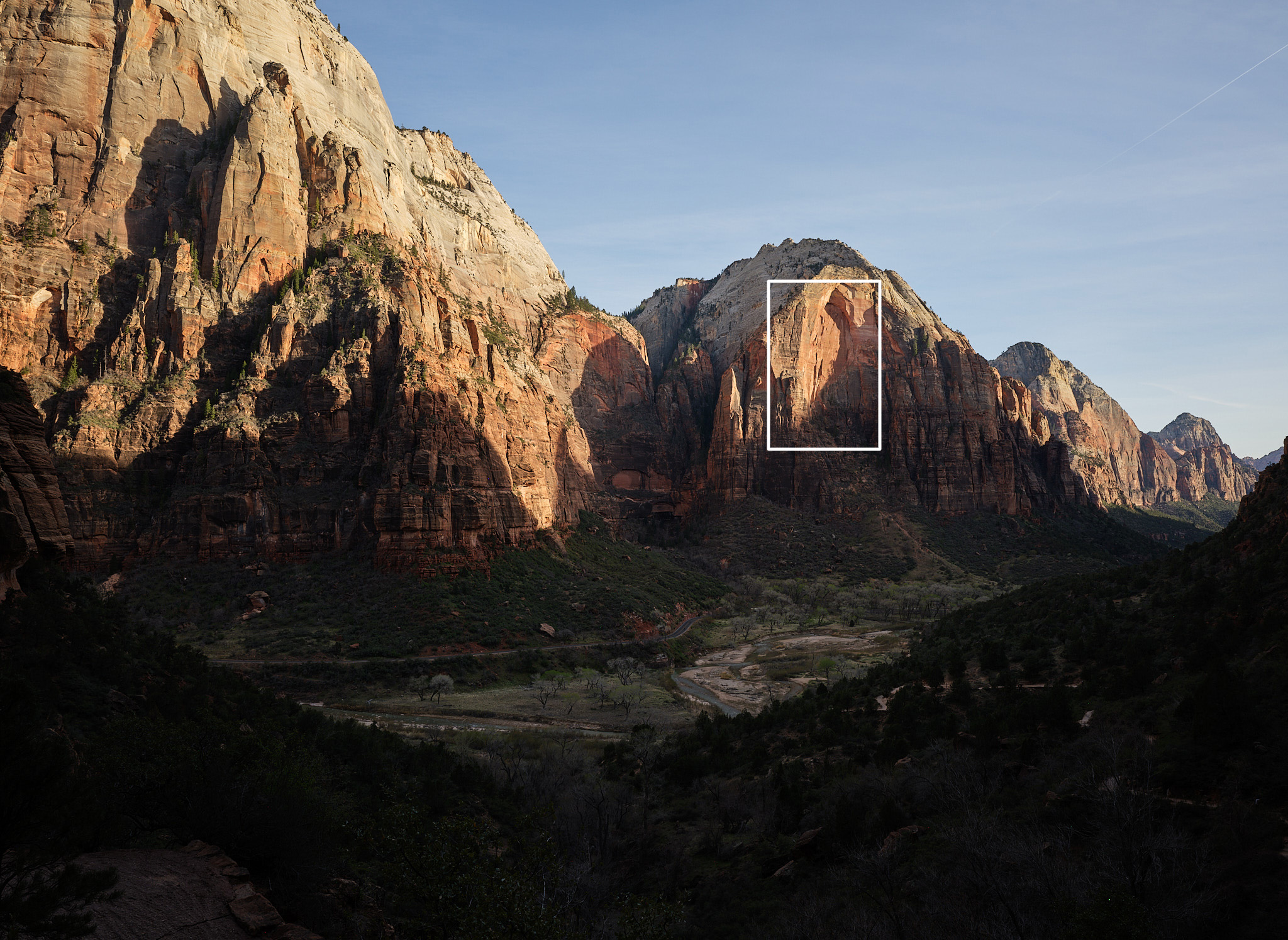
Take this photo for example:

Scale

Kinda blah. This was more of a “remember the moment” photo (i.e. the view from the lower part of Angels Landing in Zion), but you get the idea. This was shot with a 35mm lens — pretty wide — and captures the “grandness” of the scene.

However, within this photo, there are many smaller scenes — you just have to find them. Continuing with the example:

Scale

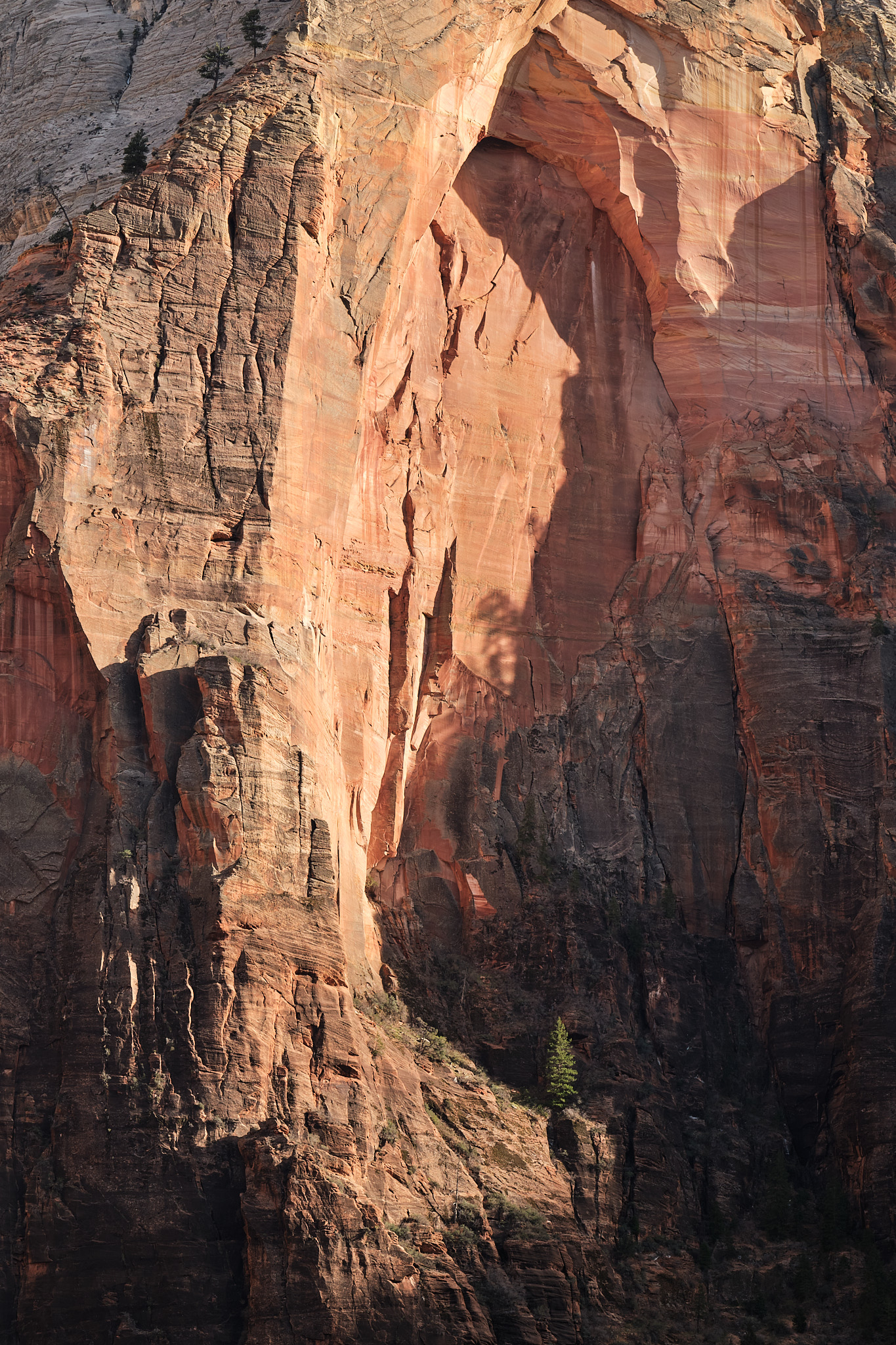
Where’s Waldo? Using the original photo, can you find where this one came from?

The overall light wasn’t magical on the grand scene, and the sky was a flat, cloudless blue, but within that scene there were many nice pockets of light. Here, the pine tree in the lower half is isolated out of the shadows, with a surrounding “arch” framing everything. For me, this is a bit more interesting. To help emphasize the point even further, here’s the view I had with my own eyes vs what my 100-400mm (all the way out to 400mm) was picking up:

Next time you’re out shooting landscapes, make sure you take more than just a wide angle. Using a telephoto will help train your eye to see all kinds of new opportunities and help you build a more diverse collection of photos.

Changing Views on AI

I’ll admit, I spent a long time criticizing AI tooling, perhaps a bit disappointed with what the future looked like. I know many people who were ecstatic about all of this, all-in from day one. But it always felt different for me. Part of my love for programming came from designing and writing beautiful code. Or at least, striving to design and write beautiful code. Most of my career I was reaching for that “craftsman” status. I believ(ed) in that. Code is creative. Code is art.

Then came AI. In the beginning it was laughable, zero threat. But it was clear where we were headed. As it got better and better, it began trying to rip that “craftsman” mindset away from me. It’s hard to pinpoint what I was bitter about, though. Was it because it (seemingly) “leveled the playing field” so all of the decades of hard work I had put into building software no longer mattered? Maybe. I realize that’s a goofy way to think, but I take a lot of pride in my work, and pride is funny like that.

But—sometime last year I moved through the stages of grief and started accepting my fate. This was the way. So at the beginning of 2026 I really embraced what it could do for me. I tried to think “AI-first” with most things I had to do. Lots of experiments, running local models, lots of reading, learning, and adapting. I was a tinkerer again.

The result? It kinda paid off. I have workflows now that I couldn’t imagine doing manually anymore.

I think my fears and dread all stemmed from AI replacing things. If I no longer designed the solutions to solve my problems, then what am I? Just a “prompter”? Blah. But that turned out to be so far from the truth, at least for me. What I realized very quickly is that an AI-assisted workflow provided peak productivity gains and still left me with all the control I wanted. And a bonus on top of it all: the better the engineer, the better the AI output. Which means experience, knowledge, preferences… all still matter.

While I’m still unsure how happy I am about the future, it’s at least a lot less bleak. Engineering is still about best practices, tradeoffs, and adapting to the ever-changing shifts in technology. This particular shift just took a lot of intentional effort and acceptance before I could thrive in the new world. But I’m here now, embracing it, keeping my fingers crossed along the way.

Querying APIs with Vanilla JS

I’m at the point in my career where keeping things simple is a top priority, even if that means a little sacrifice in other areas. In this particular case, as part of redesigning rpheath.com, I wanted to pull in the latest N posts from this blog. Given that I’m working with a static site, that meant using JavaScript. A young whippersnapper may immediately turn to React, Vue, Svelte, or (gasp!) Angular, which is reasonable. Those frameworks make this type of thing clean and easy. But I did not want to deal with integrating webpack and/or babel into my builds, as I’ve been down that road plenty, and it’s (shockingly!) still pretty annoying to deal with. Besides, each redesign of my personal site strives for more and more simplicity, so that would go against the grain.

I chose to use vanilla JS for this. Let’s talk about it! It all starts with a fetch-based function to grab the data from the blog’s API:

1function fetchPosts(url, callbackFn) {
2  fetch(url)
3    .then(response => response.json())
4    .then(data => callbackFn(data))
5    .catch(error => console.error(error));
6}

The fetchPosts() function grabs data from an API and hands it over to a callback function that I define for processing. This is all so simple because fetch() is built on the Promise, which in modern JavaScript, is an expectation for asynchronous calls.

Since we don’t have a framework to do stuff for us, the next “problem” we need to take care of is ensuring that our code runs at the right time. Meaning, after the DOM has loaded. Old school folks may remember jQuery’s $('document').ready(...) or $(function() { ... }) helpers! Yeah, it’s that, but with vanilla JavaScript. There are two ways to approach it:

 1// (1) wait for the DOMContentLoaded event
 2document.addEventListener("DOMContentLoaded", (_e) => {
 3  console.log("The DOM is ready!");
 4});
 5
 6// (2) a self-executing function
 7(function() {
 8  console.log("The DOM is ready!");
 9  console.warn("...but only if this JS is included at the bottom of the page");
10  console.warn("...also, I ignore deferred scripts!");
11})();

Both work, but notice the caveats with option (2) above. If you go with a self-executing function, it’ll execute whenever the browser reaches it, so it must be after your HTML is parsed, top-down (and even then it still ignores deferred scripts). We’ll go with option (1) for our purposes.

The next bit to work out is what to do with our data once we get it back from the API. In React, for example, we’d make a component that spit out some HTML for the browser. Well, that’s exactly what we’ll do, only we’ll use JavaScript’s Template Strings instead.

 1const renderPosts = (data, container) => {
 2  let posts = [];
 3
 4  data.forEach((post) => {
 5    const html = `
 6      <div class="post">
 7        <div class="post-date">
 8          <time>${post.date}</time>
 9        </div>
10        <div class="post-link">
11          <a href="${post.url}">${post.title}</a>
12        </div>
13        <p class="post-caption">${post.summary}</p>
14      </div>`;
15
16    posts.push(html)
17  });
18
19  container.innerHTML = posts.join("\n");
20};
21

I bet any youngsters who stumble onto this won’t even know what innerHTML is. But essentially, we just take the data and iterate over the response, creating an array of string-interpolated items. Once we’re done “looping”, we just set the container’s HTML to render our posts.

It’s a nice touch to put some kind of default text or loading indicator into your “container” element:

1<div id="blog-posts">
2  [spinner svg] Loading Posts...
3</div>

Then once the DOM loads and your function executes, innerHTML will replace your loading content with the interpolated response from the API.

Now that all of our pieces are in place, the result looks like this:

1document.addEventListener("DOMContentLoaded", (_e) => {
2  const blogContainer = document.querySelector("#blog-posts");
3
4  // we only want to do this for the "blog" section of the site
5  if (blogContainer) {
6    fetchPosts((response) => renderPosts(response.data, blogContainer));
7  }
8};

You can see this in action by going to rpheath.com/blog.

The important lesson here, if there is one, is to avoid defaulting to complexity because “that’s what the internet does”. If I wanted to use React for this, I totally could, and the outcome would look very clean and satisfying. But the complexity involved with integrating React into my builds was just not worth it. I have the same result, but with zero configuration or headache. I’m just using what browsers already know and understand. And for me, that’s the reward.

A Personal Site Redesign

Every so many years I do a redesign of my personal site, rpheath.com. Things go stale, technically, so I clean that up and typically put a fresh coat of paint on while I’m at it. Given that I’m usually working to satisfy other people, it’s nice to work on something where I’m the only stakeholder. Ahh, creative freedom.

Something I wanted to bring back to this redesign was a bit of “fun”. Remember CSS Zen Garden? The idea was all about showcasing the power of CSS and how it could transform the same HTML into completely different designs. It got me thinking… Why does my personal site need to adhere to the same design on every page? After all, it’s not a product, it doesn’t have “users”. So that’s what I did. Each page represents its content in its own way.

I don’t know how long I’ll live with these changes, but as of today, I’m digging it. Here’s a before/after glimpse of how it turned out, but you can browse for yourself at rpheath.com.

BEFORE

AFTER

Comments are off, but if you really want to share your thoughts, try ryan@rpheath.com.

Pairing Photos

One of the things that took me a while to learn was the impact photos can have when represented as a pair. I’m generally not one to talk about “story telling” with photography (even though I believe in it), but when it comes to pairing photos, I think the story can be laid out so much better.

Take the pair of photos above, for example. Individually, they’re pretty “meh”. You get the idea, there was some nice light making shadows. But with two photos? Now you start to see the full “story”. At least I do. I can visualize this light coming through every window of the house, making shadowed shapes all over the place. The impact is double for me.

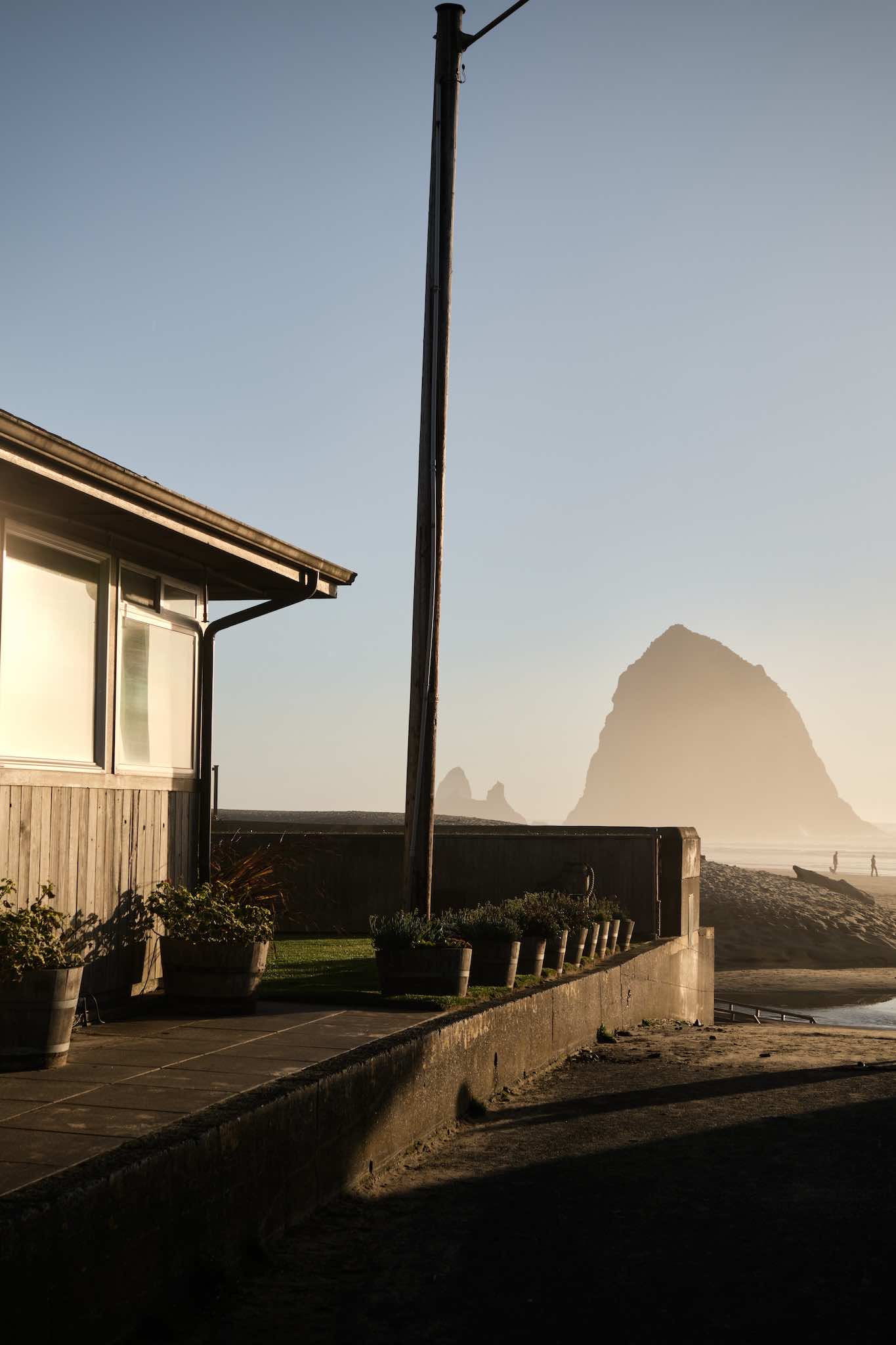
Again, another set where the individual photos are solid, but together have greater impact. Haystack Rock is massive, it’s right on the beach and everyone has seen so many photos of it from that perspective. But there’s something about showing buildings and houses that tell the full “story”. When you see one of these, maybe it’s just an anomaly. But when you see two? Then it’s like, okay, this rock is literally right in front of all these houses. At least, that’s how I think about it.

In this last example, these photos don’t even really make sense. I don’t know if there’s any “story” here at all. But that’s kind of my point: sometimes a pair of photos just look better, together. I personally really like these two, but mostly because they’re next to one another. Maybe it’s the colors? I don’t know, Portra is magical. But I do know that I like them a lot less when I see them in isolation.

So there you go. Pair your photos, it’s another trick in the bag to get more out of your photography.

Shooting Film: Mamiya C330

I knew when I finally started shooting film that 35mm would just be the gateway drug into something else. But I didn’t expect to find what I found, and I didn’t expect to love it as much as I do.

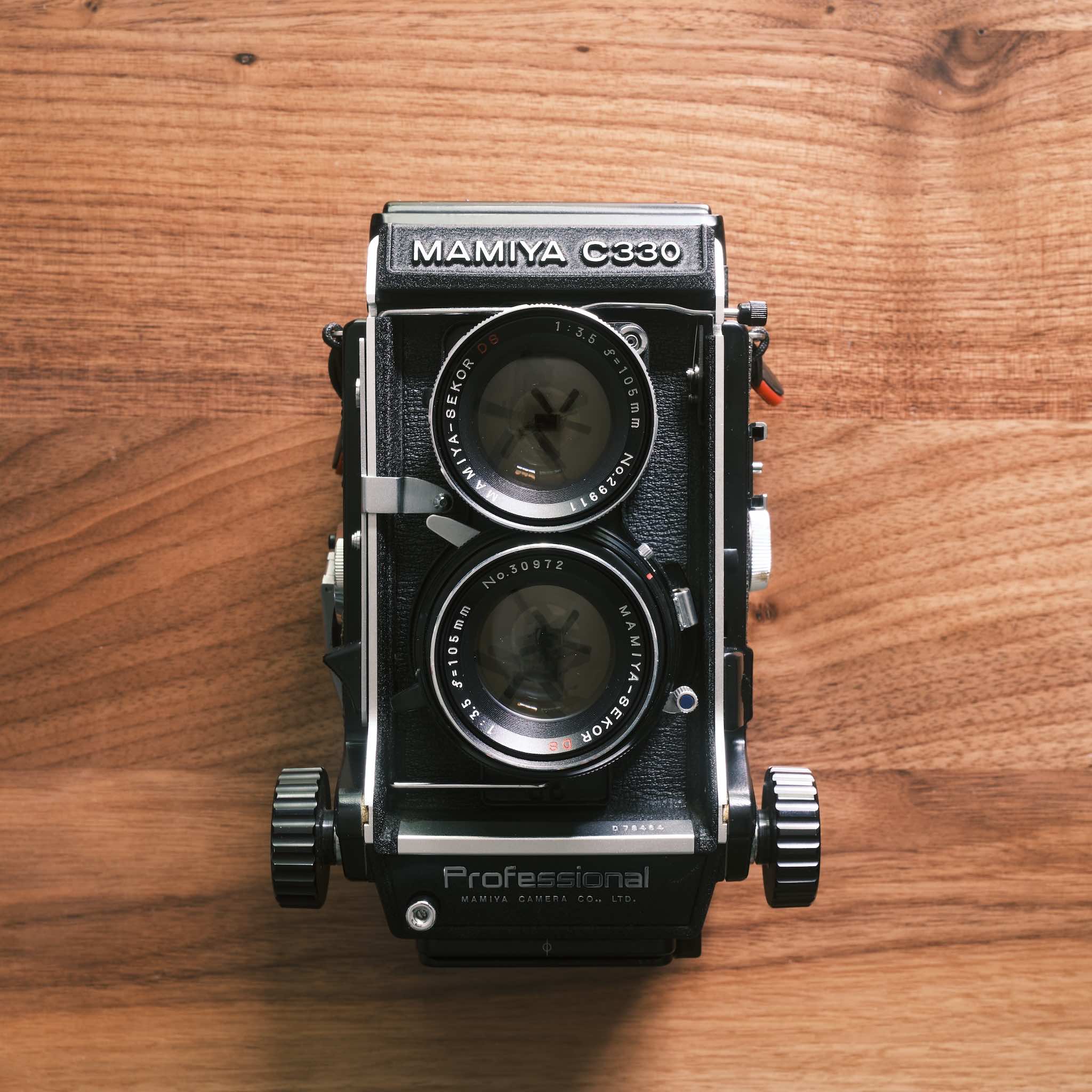
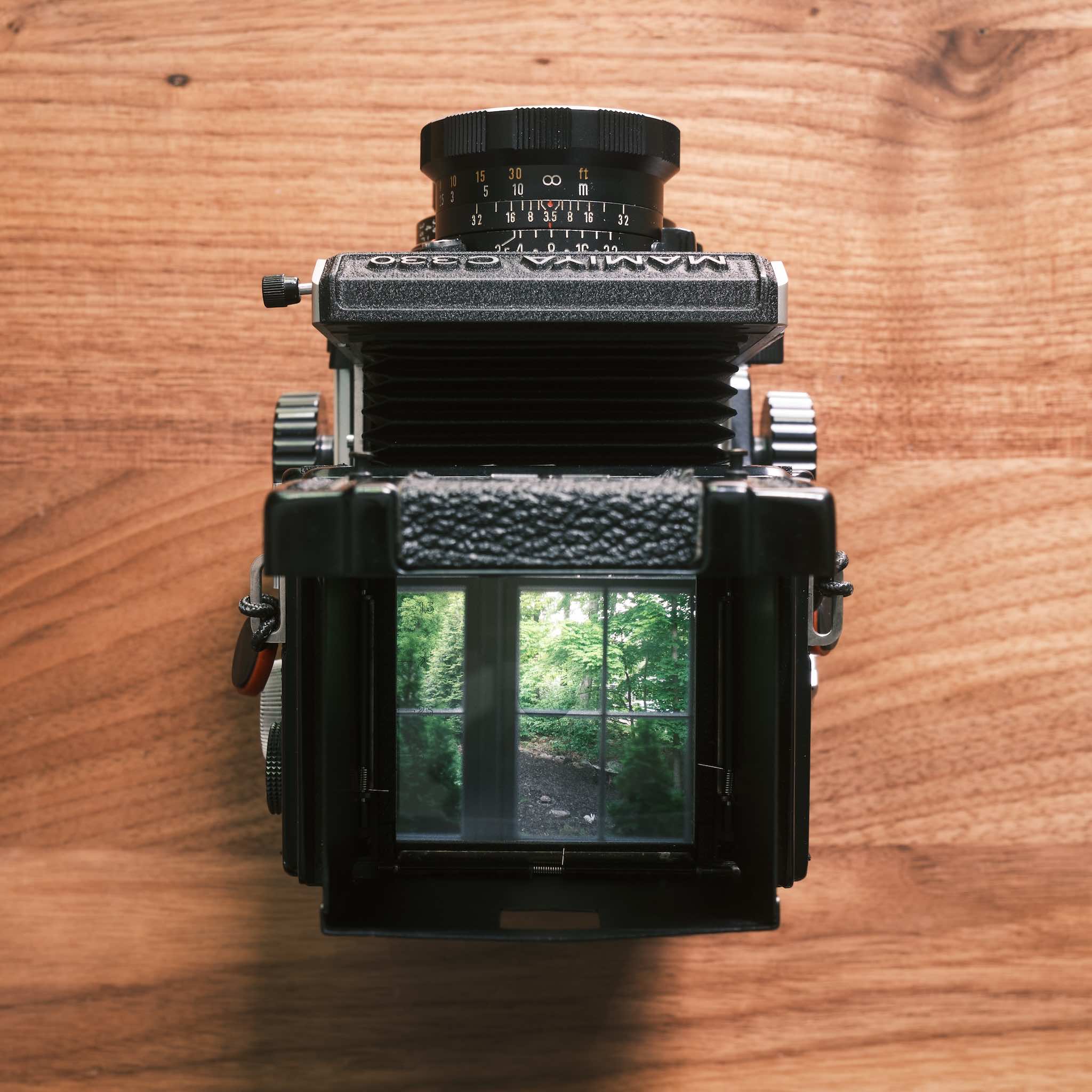
The Mamiya C330 is a medium format film camera that shoots 120 (6x6) film. It’s a twin-lens reflex design, where the top lens is used for focusing, and the bottom lens takes the photo. It focuses via bellows extension and can get almost macro-level close. You turn the knobs on the sides to move the bellows in and out.

Scale

Golden hour at a Go-Mart / storage unit parking lot

The top of the camera flips open and you look down at a viewfinder to focus the scene. There’s also a magnifying glass built-in that’s optional, but when you enable that, you can really dial in your focus. This all sounds kind of nuts, I get it, but it actually works really well. The Rolleiflex is one of the more well-known TLR cameras, but it’s expensive. Additionally, it doesn’t allow swapping lenses, which you can do on the C330. I only have one lens (a 105mm), and don’t plan to buy another, but I could.

For a camera that’s 55 years old (at the time of this writing), the photos I’m able to get out of it just blow me away. I bought this camera on eBay for about $300 (including the lens).

It’s heavy, awkward, and extremely slow to use (fully mechanical, no light meter), but it has given me a new perspective on photography. When I flip through photobooks that were made using large format cameras, for example, I now have a greater appreciation for the work that went into each frame. And while it’s so different from digital, and in many ways, “not worth it”, there’s no greater feeling than composing a scene, pressing the release cable, and finding out that you made a perfect exposure. It’s a very rewarding experience, end-to-end.

Shooting Film: Bessa R2A

There was a time when I simply could not understand what the appeal was when it came to film photography. It always intrigued me, but I was never certain that I had the patience for it and the overall process just felt so… pointless? But here I am. Years later, I have a different perspective. I recently picked up a 20+ year old, used film camera.

Scale

Voigtlander Bessa R2 w/ 35mm Nokton Classic f/1.4 II

Right off, this camera is beautiful! And if you know me, I can’t dare use a camera that doesn’t align with my aesthetic tastes.

I’m not a product review kinda guy, but it’s worth noting a few things that make this camera special:

  • The largest framelines are 35mm, which is what I plan on shooting with this camera.
  • I shoot aperture priority, which this camera has! (along with +/- 2 stop exposure compensation)
  • The rangefinder patch is excellent, despite the camera being old-ish.
  • It’s a M-mount, so I can use my existing VM lenses.

There’s a bit of anxiety that comes along with shooting film, but it does seem to make you hone in on what you’re doing because you can’t make “test exposures” to verify anything. If you over expose a scene on purpose, you won’t know if you blew those highlights until you get the film back. You’re forced to understand how different films react to light and be a lot more intentional up front, which I (so far) am enjoying.

Another thing I didn’t really think about: you sort of choose your “edit” up front. Sure, you can make small adjustments to the scans in post-processing, but for the most part, you’re choosing your colors, contrast, and overall feel up front before you head out with your camera. That’s kinda cool and very different for me.

We’ll see how this whole thing plays out. I’m still a digital shooter at heart (if nothing else because of the cost of film, sheesh), but I will say, the feeling I get when cranking the film advance after every shot is pretty addicting.

Anyway, I find that hobbies—including photography—require you to “keep it fresh” to stay motivated and inspired. Right now, for me, that’s the Bessa R2A. Wish me luck!